Machinery manuals & documents
Explore equipment documentation and operating procedures through questions about your machinery. Start with documents alone, independently of other Gelectric products.
Manuals · Procedures · Technical documents
Ask questions about your machinery manuals, sensor data, and operational records—in one conversation.
Start with documents alone. Connect more data when you need it.
Chat with Your Vessel
Your documents. Your data. Your questions.
Interactive example · Sample data
Cooling-water readings · Last 7 days
How has LT cooling-water temperature changed this week?
The daily mean rose from 28.1°C to 34.4°C over seven days, an increase of 6.3°C. The latest reading is 34.6°C, below the configured 37°C limit.
Cooling-water temperature
The upward trend is worth reviewing alongside the equipment’s operating conditions.
Try a follow-up question
Illustrative conversations with prepared examples. Your workspace uses the documents and data you connect.
You don’t need a complete digital vessel to get started. Bring the sources that answer your team’s questions.
Explore equipment documentation and operating procedures through questions about your machinery. Start with documents alone, independently of other Gelectric products.
Manuals · Procedures · Technical documents
Ask about readings, changes, and operating periods using data from your existing sensors and systems. Add these connections whenever you need them.
Temperatures · Pressures · Operating loads
Bring the context in noon reports, maintenance logs, and voyage records into the conversation. Follow up on what happened and the work your team recorded.
Noon reports · Maintenance logs · Voyage records
Actual screenshots from the Gelectric AI interface. Start with a question, review an equipment summary, and follow up on the trends that matter.
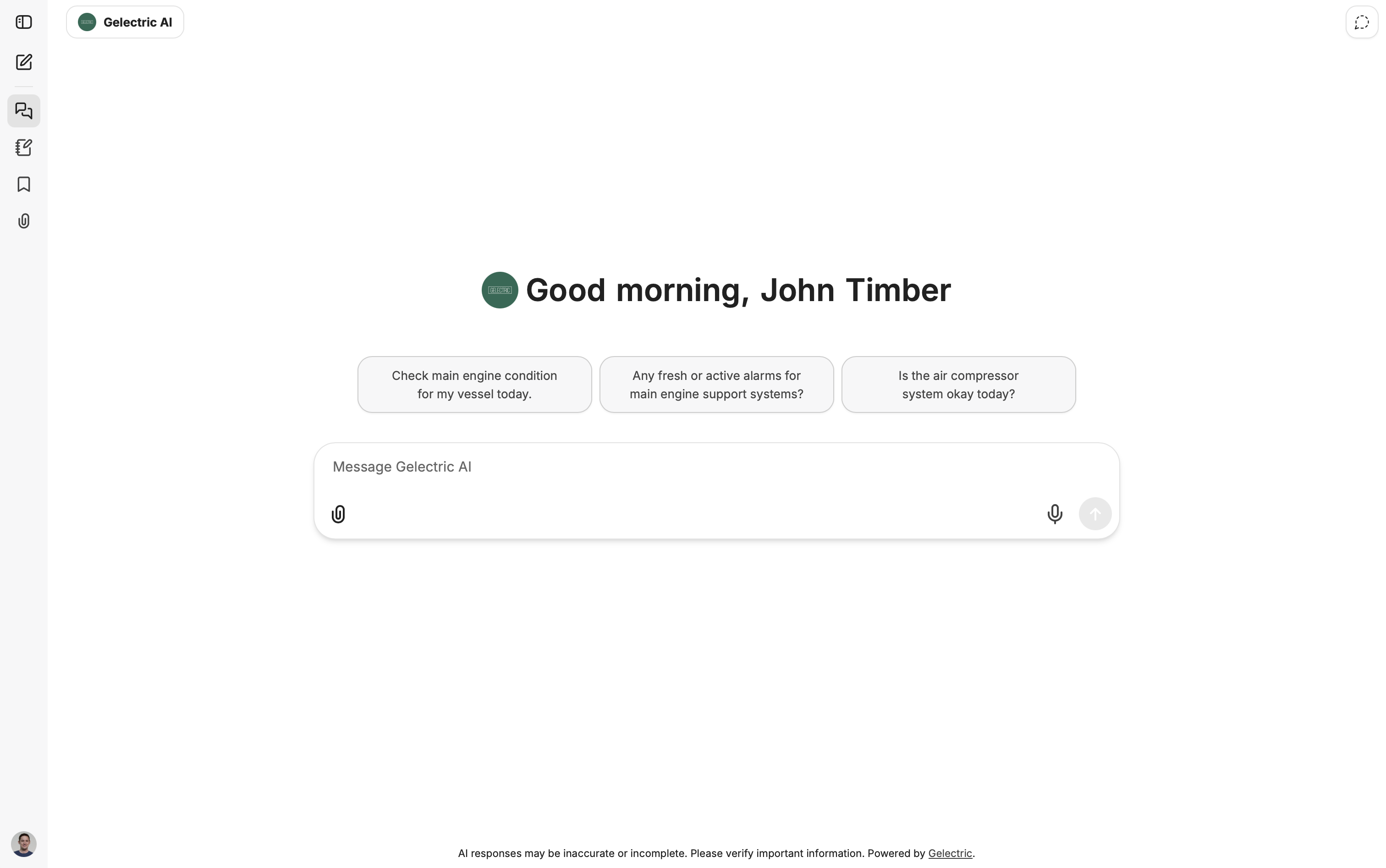
A familiar workspace with suggested questions to get started.
View full size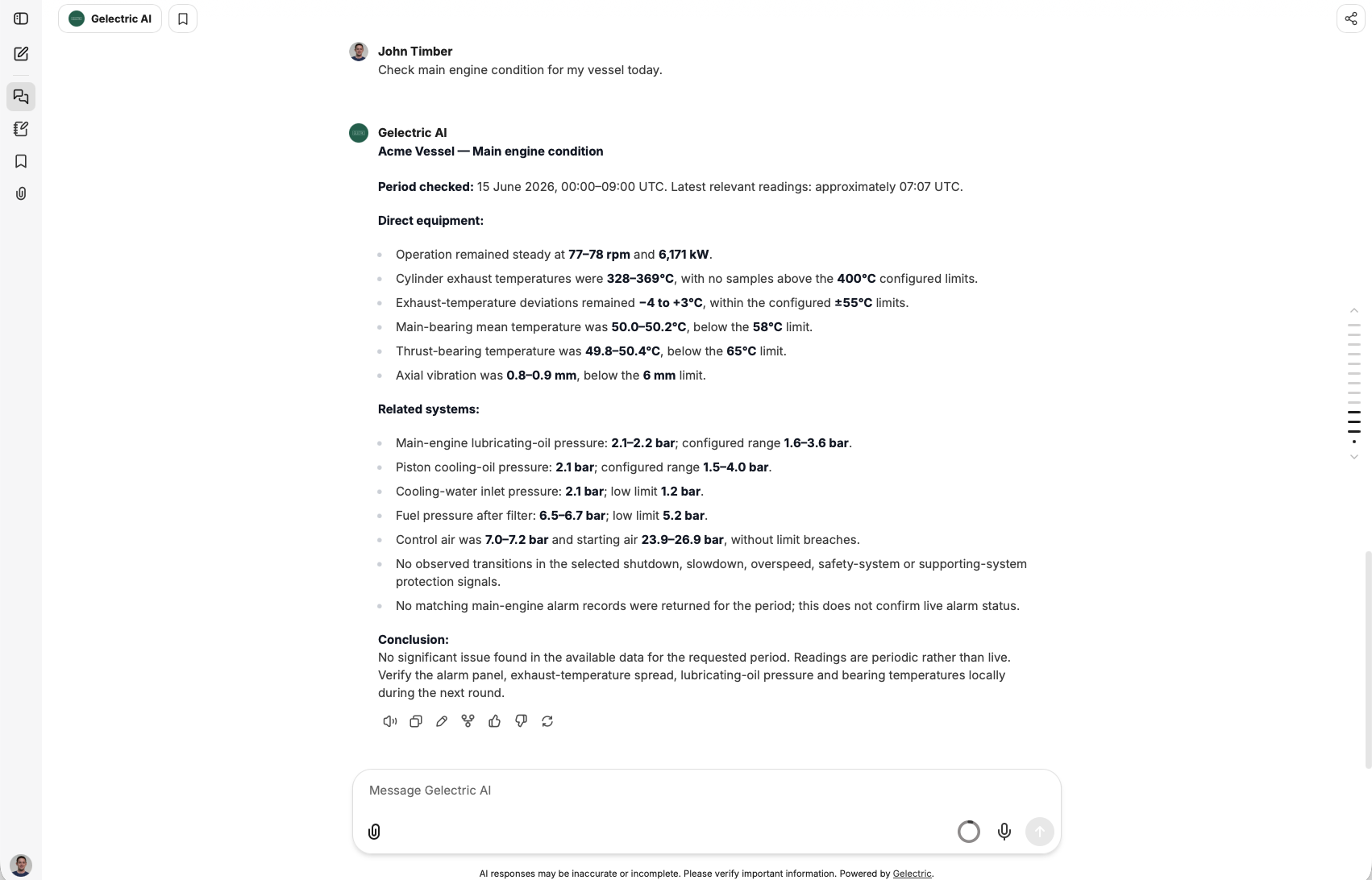
Bring readings, operating context, and available data into view.
View full size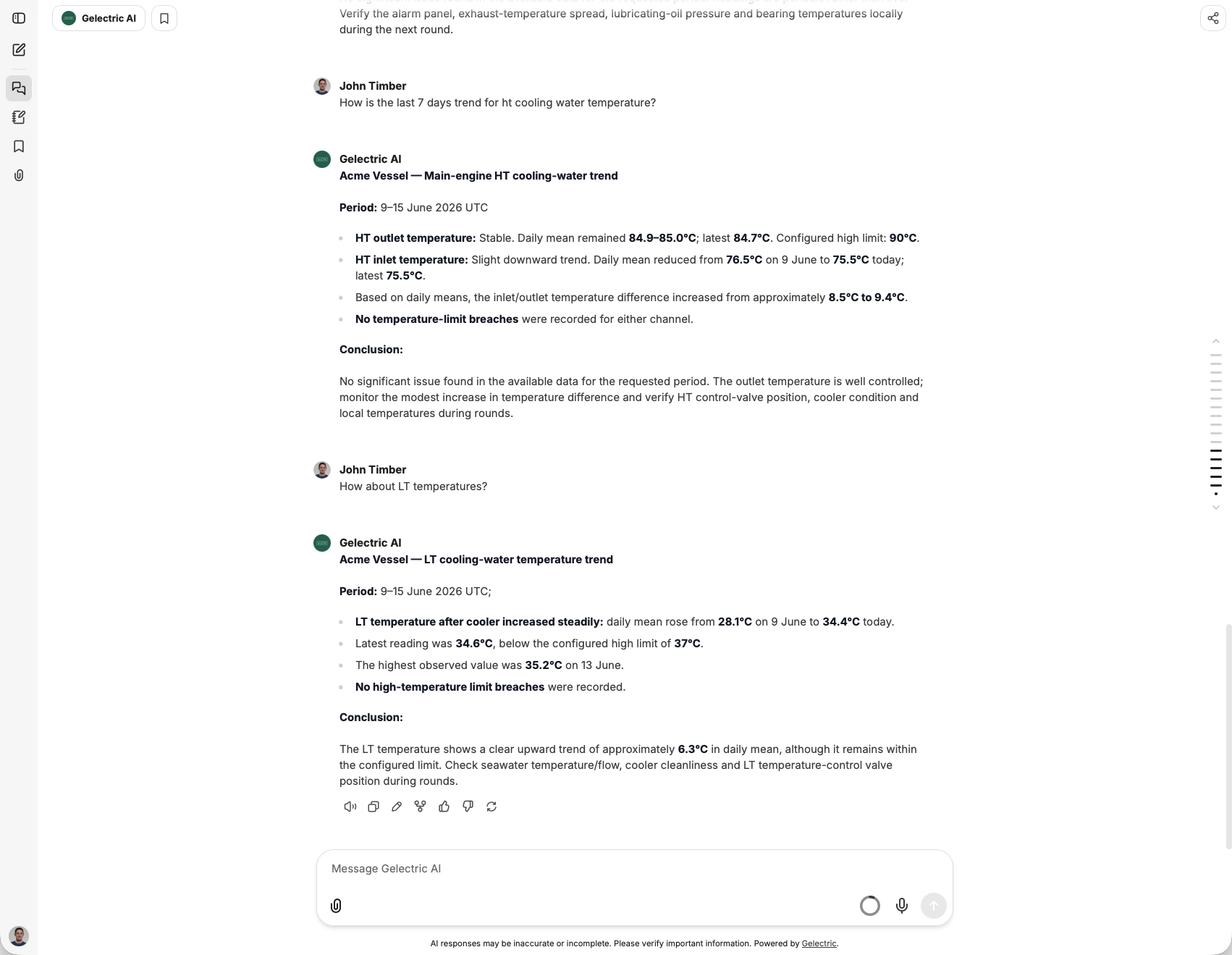
Follow up on cooling-water trends without writing a data query.
View full sizeBuild a useful starting point for your crew and shore team, then expand at your own pace.
Start with something your team does regularly, such as finding a procedure in a manual or reviewing a change in equipment readings.
Share your documents or arrange access to the data. We prepare the connections around your systems and available information.
Ask questions, follow up, and review the answers against your records. Expand to more sources as your team’s needs grow.
Gelectric prepares the documents and data connections behind the conversation. Your team gets a familiar chat workspace built around the information you provide.
Keep the systems you already use. We configure the document preparation and data integrations needed for your vessel’s questions.
We review the sources, access arrangements, and intended users with you so the setup fits the information you choose to provide.
Begin with manuals, then add maintenance records, noon reports, or sensor data. Available answers reflect the sources connected and their update frequency.
Use it on its own, or bring in information from Digital Noon Reports and Vessel Monitoring.
No. Chat with Your Vessel works with machinery manuals and documents alone. You can use it independently of other Gelectric products and add sensor or operational data later.
Yes. We can develop connections to customer-provided data sources. We review the available systems, data formats, and access with you to determine the integration.
Yes. The product is available and already used by customers with their own connected data.
Yes. These records can add operational and maintenance context to the information your team explores in chat. They can come from your existing systems or other Gelectric products.
Use the conversation to explore your information and support your investigation. Check the relevant records, data period, and machinery procedures before making operational decisions.
Bring a question, a machinery manual, or a description of your data. Let’s explore what Chat with Your Vessel could do for your team.
Cookie preferences
We use strictly necessary storage for site operation and optional categories for experience, measurement, and marketing. Choose what Gelectric can use, and update it any time from Cookie Settings in the footer.